

Introduction #
Perspective and orthogonal views are essential tools in structural engineering, enabling engineers to visualize structural models from various angles. The perspective view, often referred to as an isometric view, enhances understanding by offering a realistic depiction of how structural elements interact. Conversely, the orthogonal view supports precise design and construction, akin to building elevations and floor plans. MiLA Structure provides these functions for user convenience, accessible through the view types sub-icons, as illustrated in Figure 1.
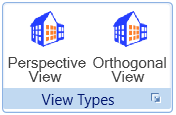


Figure 1: View types sub-icons
Step by Step Guide #
1. Figure 2 shows the 3D view of a single-storey building.
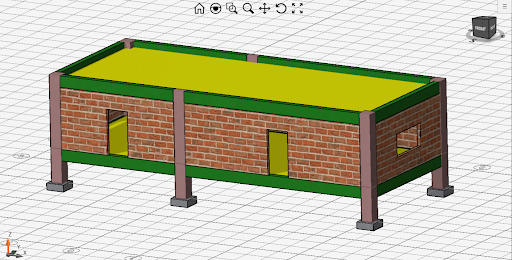
Figure 2: 3D view of a single storey building
2. You can toggle between the perspective or orthogonal view using the sub-icons available.
3. When the perspective view is enabled in the front view, elements positioned at the backside become visible (see Figure 3). In contrast, in the orthogonal view, these backside elements remain hidden due to the line of sight.
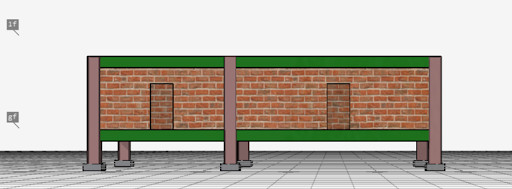
Figure 3: Perspective view in Front view

Figure 4: Orthogonal view in Front view
Figure 4: Orthogonal view in Front view
4. The rotation cube in the top-right corner is a useful tool for exploring different elevations of the building. For instance, you can view the side view of the building by clicking on the left/right on the cube. This can be illustrated in Figure 5.
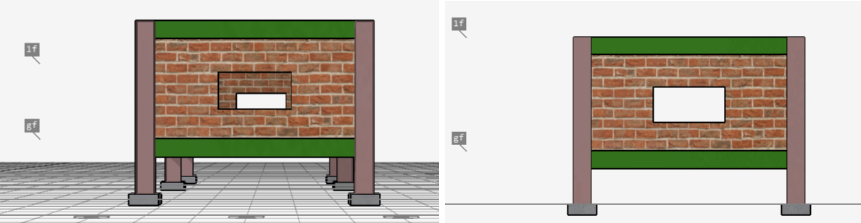
Figure 5: Perspective and Orthogonal (Right view)
Conclusion #
MiLA Structure offers two distinct view types: Perspective and Orthogonal. Perspective views enhance realism and provide context, while orthogonal views prioritize accuracy and precision, making both essential for effective design and visualisation. The rotation cube further aids in navigating and exploring various elevation views of the building.
Tags:
MiLA Structure, Perspective view, Orthogonal view, Rotation cube, Modelling