

Introduction #
MiLA Structure offers various ways to model reinforced concrete columns with ease. Using 2D input window, a single or multiple column(s) can be created using batch add or window selection methods. In addition, user can model columns with different properties (eg. shape, orientation, end condition, …). To access column creation, click on the main tab and select ‘column’ input. A column property can be modified by selecting a previously created column in the 2D input window.
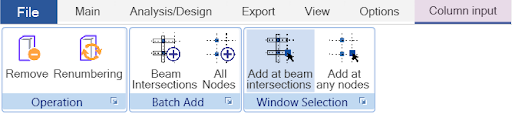


Figure 1: Column creations
Column Creation #
There are three methods to create columns:
1. Click on grid node. Directly click on a grid node.
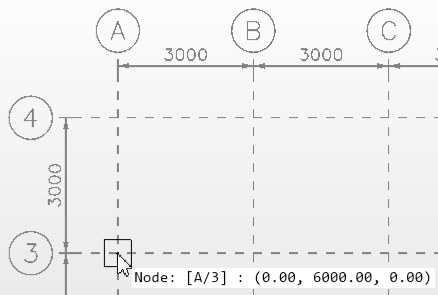
Figure 2: Click on grid node
2. Batch add to beam intersections or all nodes. Click on one of the options and apply column to beam intersections or nodes to the entire model.

Figure 3: Batch add to beam intersections
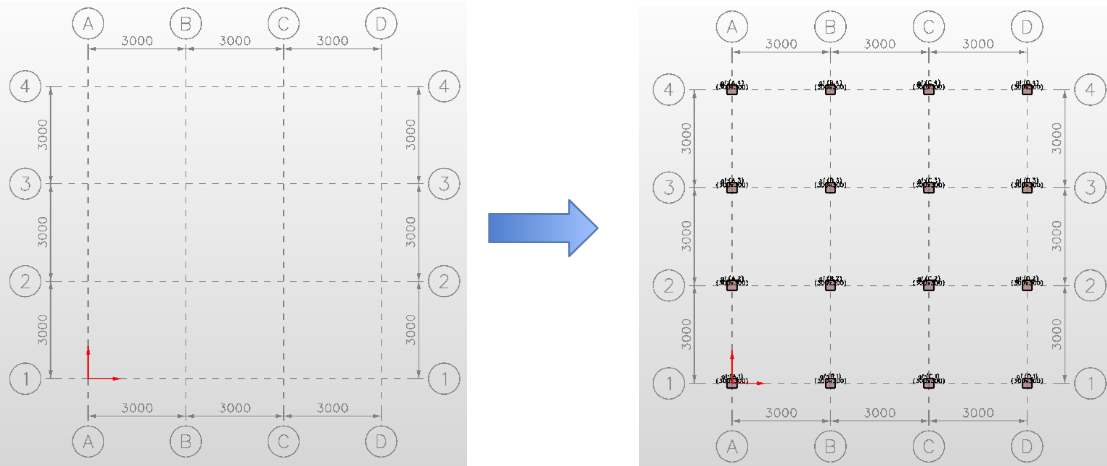
Figure 4: Batch add to all nodes
3. Window selection. Click on one of the options and click & drag desired area to add based on beam intersections or grid nodes.
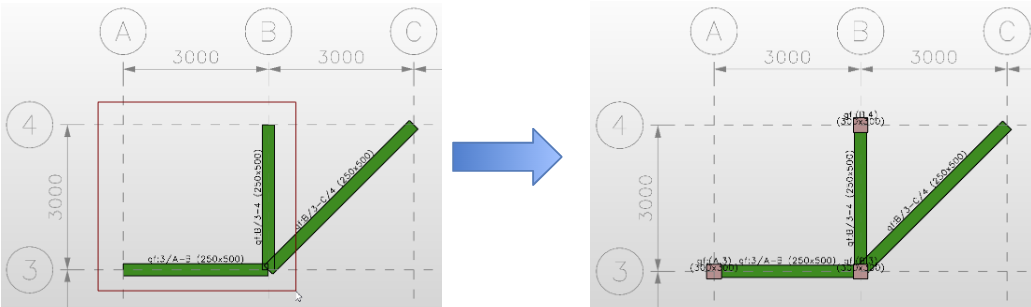
Figure 5: Window selection based on beam intersections
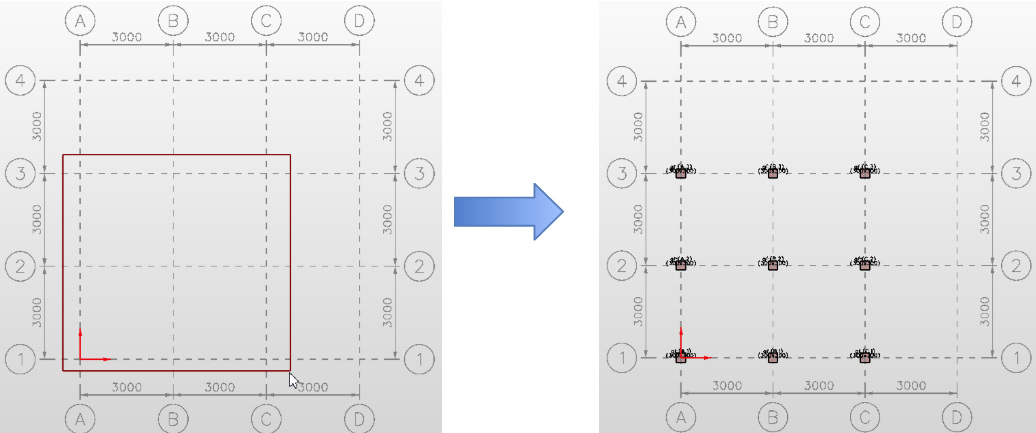
Figure 6: Window selection based on grid nodes
Column Properties #
In general, the user is allowed to modify shape, angle, dimensions, material grade, concrete cover and end conditions, as shown in Figure 5. However, the column dimensions are input differently for different column shapes (eg. rectangle, circular, T, plus).
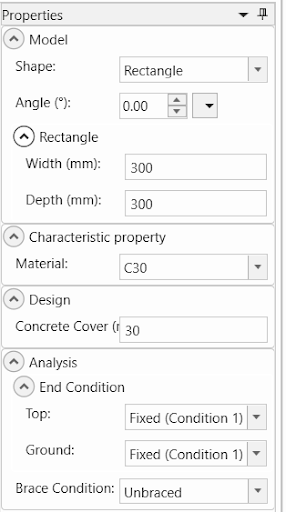
Figure 7: Column properties
Conclusion #
MiLA Structure provides a set of modelling tools that improve modelling efficiency. In addition, various column shapes can be included in the model. Thus, the user can save time and focus more on the engineering designs.
Tags
MiLA Structure, Column, Column creation, Modelling, Column properties