

Introduction #
MiLA Structure offers advanced tools for interactive beam design, enabling users to model reinforced concrete (RC) beams with great efficiency, precision, and simplicity. Users can effortlessly adjust reinforcement at specific beam locations, with the software providing a detailed graphical representation of the reinforcement layout. Additionally, real-time feedback ensures compliance with design requirements, streamlining the entire process.
Step by Step Guide #
1. Create the desired beam layout and Run analysis.
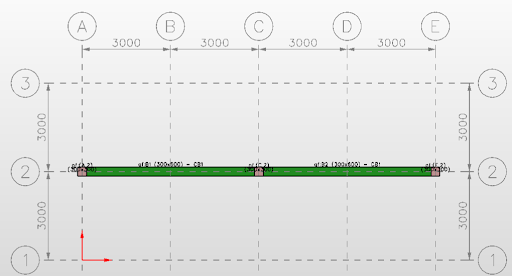


Figure 1: Beam layout
2. Under beam design, click the interactive design sub-icon.
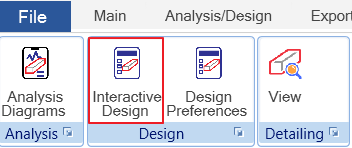
Figure 2: Interactive sub-icon
3. The beam interactive design window displays a detailed visual representation of the beam, including reinforcement detailing with multiple layers of rebars at different positions. The selected rebars are automatically checked against AS requirements, AS minimum values, and allowable minimum-maximum spacing, ensuring compliance with design standards.

Figure 3: Beam interactive design
4. If the AS and spacing provided are acceptable, the design will be allowed to proceed.
Conclusion #
The beam interactive design interface offers users the flexibility to optimize selected rebars for ease of construction. Real-time checking ensures that bar arrangements comply with relevant design codes, providing immediate validation during the design process.
Tags:
MiLA Structure, Interactive design, Beam, Design